MODEL REFERENCE
Brother CP2160W
8 errors · 21 troubleshooting topics
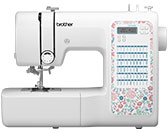
The checks and guides below come from the official manuals for this model.
No matches for this wording. Try a light name, error code or a shorter phrase.
Error codes
Shown on the machine display E1presser foot raised during operation
Lower the presser foot lever before continuing.
E2buttonhole lever lowered for another stitch
Raise the buttonhole lever before continuing.
E3buttonhole lever raised for buttonhole or bar tack stitch
Lower the buttonhole lever before continuing.
E4bobbin winder shaft moved to the right
Move the bobbin winder shaft left before continuing.
E5start/stop button pressed with foot controller connected
Disconnect the foot controller before using Start/Stop, or operate with the foot controller.
E6motor locked by tangled thread
Clear the tangled thread before continuing.
E7single-needle stitch selected in twin-needle mode
Select a stitch that supports the twin needle.
F1-F9possible machine malfunction
Contact the nearest Brother authorized service center.
Troubleshooting
Find the problem you are experiencingThe machine does not work4 checks
- The machine is not plugged in.
- Check whether the machine is plugged in.
- The main power switch is off.
- Check whether the main power switch is on.
- The bobbin winder shaft is pushed to the right.
- Check whether the bobbin winder shaft is pushed to the right.
- The foot controller is being used incorrectly.
- Check that you are using the foot controller as described in the manual.
The needle breaks11 checks
- The needle is fitted incorrectly.
- Check that the needle is fitted correctly.
- The needle clamp screw is loose.
- Check whether the needle clamp screw is loose.
- The needle is turned, bent, or has a dull point.
- Check the needle's orientation, straightness, and point.
- The needle or thread is unsuitable for the fabric.
- Check that the needle and thread are suitable for the fabric.
- The presser foot is unsuitable for the selected stitch.
- Check that the presser foot matches the selected stitch.
- The upper thread tension is too tight.
- Check whether the upper thread tension is too tight.
- The fabric is being pulled, pushed, or fed at an angle.
- Guide the fabric lightly.
- Scratches are reported around the needle plate opening, but the source also includes an unexplained note stating that something is not a scratch.
- Contact an authorized Brother dealer or service center for this fault.
- The area around the presser foot opening is scratched.
- Contact an authorized Brother dealer or service center for this fault.
- The bobbin case is scratched.
- Contact an authorized Brother dealer or service center for this fault.
- The bobbin is not designed for this machine.
- Check that the bobbin is designed for this machine.
The upper thread breaks11 checks
- The upper thread is threaded incorrectly, such as an improperly fitted spool or thread outside the thread channel.
- Check the upper threading, including the spool fitting and whether the thread is in the thread channel.
- The thread has knots or tangles.
- Remove any knots or tangles from the thread.
- The needle is unsuitable for the thread being used.
- Check that the needle is suitable for the thread.
- The upper thread tension is too tight.
- Check whether the upper thread tension is too tight.
- The thread is tangled, possibly in the bobbin case.
- Check for tangled thread, including in the bobbin case.
- The needle is turned, bent, or has a dull point.
- Check the needle's orientation, straightness, and point.
- The needle is installed incorrectly.
- Check that the needle is installed correctly.
- Scratches are reported around the needle plate opening, but the source also includes an unexplained note stating that something is not a scratch.
- Contact an authorized Brother dealer or service center for this fault.
- The area around the presser foot opening is scratched.
- Contact an authorized Brother dealer or service center for this fault.
- The bobbin case has scratches or a burr.
- Contact an authorized Brother dealer or service center for this fault.
- The bobbin is not designed for this machine.
- Check that the bobbin is designed for this machine.
The bobbin thread is tangled or breaks5 checks
- The bobbin thread is wound incorrectly.
- Check that the bobbin thread is wound correctly.
- The bobbin is scratched or does not turn smoothly.
- Check the bobbin for scratches and whether it turns smoothly.
- The thread is tangled.
- Check for tangled thread.
- The bobbin is not designed for this machine.
- Check that the bobbin is designed for this machine.
- The bobbin is installed incorrectly.
- Check that the bobbin is installed correctly.
The thread tension is incorrect8 checks
- The upper thread is threaded incorrectly.
- Check that the upper thread is threaded correctly.
- The bobbin thread is wound incorrectly.
- Check that the bobbin thread is wound correctly.
- The needle or thread is unsuitable for the fabric.
- Check that the needle and thread are suitable for the fabric.
- The presser foot is attached incorrectly.
- Check that the presser foot is attached correctly.
- The presser foot holder is attached incorrectly.
- Check that the presser foot holder is attached correctly.
- The thread tension is incorrect.
- Check the thread tension against the manual's guidance.
- The bobbin is not designed for this machine.
- Check that the bobbin is designed for this machine.
- The bobbin is installed incorrectly.
- Check that the bobbin is installed correctly.
The fabric is wrinkled6 checks
- The upper threading or bobbin installation is incorrect.
- Check the upper threading and bobbin installation.
- The spool is fitted incorrectly.
- Check that the spool is fitted correctly.
- The needle or thread is unsuitable for the fabric.
- Check that the needle and thread are suitable for the fabric.
- The needle is turned, bent, or has a dull point.
- Check the needle's orientation, straightness, and point.
- The stitch is too thick for the thin fabric being sewn.
- When sewing thin fabric, place stabilizer material underneath it.
- The thread tension is incorrect.
- Check the thread tension against the manual's guidance.
Stitches are skipped5 checks
- The upper thread is threaded incorrectly.
- Check that the upper thread is threaded correctly.
- The needle or thread is unsuitable for the fabric.
- Check that the needle and thread are suitable for the fabric.
- The needle is turned, bent, or has a dull point.
- Check the needle's orientation, straightness, and point.
- The needle is installed incorrectly.
- Check that the needle is installed correctly.
- Dust has accumulated under the needle plate or in the bobbin case.
- Check for dust under the needle plate and in the bobbin case.
The thread is tangled on the wrong side of the fabric2 checks
- The upper thread is threaded incorrectly.
- Check that the upper thread is threaded correctly.
- The needle or thread is unsuitable for the fabric.
- Check that the needle and thread are suitable for the fabric.
There is a high-pitched noise while sewing4 checks
- Dust has accumulated in the feed dogs or bobbin case.
- Check for dust in the feed dogs and bobbin case.
- The upper thread is threaded incorrectly.
- Check that the upper thread is threaded correctly.
- The bobbin case is scratched.
- Contact an authorized Brother dealer or service center for this fault.
- The bobbin is not designed for this machine.
- Check that the bobbin is designed for this machine.
The needle threader cannot be used (if equipped)7 checks
- The needle is not at its highest position.
- If your machine has a needle threader, check whether the needle is at its highest position.
- The needle is installed incorrectly.
- If your machine has a needle threader, check that the needle is installed correctly.
- The needle is turned, bent, or has a dull point.
- If your machine has a needle threader, check the needle's orientation, straightness, and point.
- The upper thread is threaded incorrectly.
- If your machine has a needle threader, check that the upper thread is threaded correctly.
- The needle threader hook is bent and cannot pass through the needle's eye.
- Contact an authorized Brother dealer or service center for this fault.
- The needle threader lever cannot move or return to its original position.
- Contact an authorized Brother dealer or service center for this fault.
- A size 65/9 needle is being used, which is incompatible with the needle threader.
- If your machine has a needle threader, thread a size 65/9 needle manually through its eye.
The stitch is not sewn correctly3 checks
- The presser foot is unsuitable for the selected stitch.
- Check that the presser foot matches the selected stitch.
- The thread tension is incorrect.
- Check the thread tension against the manual's guidance.
- The thread is tangled, possibly in the bobbin case.
- Check for tangled thread, including in the bobbin case.
The fabric does not feed4 checks
- The feed dogs are lowered.
- If equipped, use the feed dog position switch to raise the feed dogs.
- The stitch is too fine.
- Check whether the stitch setting is too fine.
- The needle or thread is unsuitable for the fabric.
- Check that the needle and thread are suitable for the fabric.
- The thread is tangled, possibly in the bobbin case.
- Check for tangled thread, including in the bobbin case.
While winding the bobbin, the bobbin thread was wound below the bobbin winder seat (if equipped)1 check
- The thread was passed incorrectly under the thread guide's pretension disk.
- If this applies to your model, remove any entangled thread, then wind the bobbin.
The bobbin thread cannot be pulled up2 checks
- The needle is turned, bent, or has a dull point.
- Check the needle's orientation, straightness, and point.
- The bobbin is installed incorrectly.
- Check that the bobbin is installed correctly.
The sewing light bulb does not come on1 check
- The sewing light is damaged.
- Contact an authorized Brother dealer or service center for this fault.
The fabric feeds in the opposite direction1 check
- The feed mechanism is damaged.
- Contact an authorized Brother dealer or service center for this fault.
The needle contacts the needle plate2 checks
- The needle clamp screw is loose.
- Check whether the needle clamp screw is loose.
- The needle is turned, bent, or has a dull point.
- Check the needle's orientation, straightness, and point.
Fabric being sewn with the machine cannot be removed1 check
- Thread is tangled below the needle plate.
- Check for tangled thread below the needle plate.
A broken needle has fallen into the machine1 check
- A broken needle has fallen into the machine.
- Turn off the machine and remove the needle plate.
- If the fallen needle is visible, remove it with tweezers.
- Refit the needle plate and install a new needle.
- Before turning the machine on, slowly turn the handwheel toward you to check that it turns smoothly and the new needle enters the center of the needle plate opening.
- If the handwheel does not turn smoothly or the fallen needle cannot be removed, contact an authorized Brother dealer or the nearest authorized Brother service center.
The handwheel does not turn smoothly1 check
- Thread is tangled in the bobbin case.
- Check for tangled thread in the bobbin case.
Decorative stitch patterns are misaligned (if equipped)2 checks
- The wrong presser foot is being used.
- If your machine has decorative stitch patterns, check that the presser foot is suitable for the selected pattern.
- The stitch adjustment is set incorrectly.
- If your machine has decorative stitch adjustment, check its setting against the manual's guidance.