MODEL REFERENCE
Brother CS-8072
9 troubleshooting topics
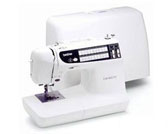
The checks and guides below come from the official manuals for this model.
No matches for this wording. Try a light name, error code or a shorter phrase.
Troubleshooting
Find the problem you are experiencingUpper thread breaks5 checks
- Upper threading is not correct
- Rethread upper thread.
- Upper thread is entangled
- Clear loose thread in the race or shuttle.
- Spool of thread is not correctly set
- Place the thread spool correctly.
- Correct needle is not used
- Fit the correct needle.
- Shuttle is damaged
- Contact a Brother service center.
Bobbin thread breaks2 checks
- Upper thread is entangled
- Clear loose thread in the race or inner shuttle.
- Bobbin is not threaded properly in the shuttle
- Set bobbin properly and pull out the bobbin thread.
Stitches are skipped5 checks
- Needle is not correctly inserted
- Insert needle properly.
- Correct needle is not used
- Fit the correct needle.
- The combination of fabric, thread and needle is not correct
- Match the fabric, thread, and needle using the chart on manual page 26.
- Dust is clinging under the needle plate
- Remove dust by cleaning with a brush.
- Upper threading is not correct
- Rethread upper thread.
Fabric puckers4 checks
- Threading is not correct
- Rethread upper and bobbin thread correctly.
- Correct needle is not used
- Fit the correct needle.
- Combination of fabric, thread and needle is not correct
- Match the fabric, thread, and needle using the chart on manual page 26.
- Thread tension is not correct
- Adjust thread tension using the procedure on manual page 20.
Needle threader does not catch the needle2 checks
- Needle position is not correct
- Set needle at proper position using “NEEDLE POSITION” button.
- Hook of needle threader does not fit into the eye of the needle
- Set needle at proper position using “NEEDLE POSITION” button.
Thread tension is incorrect4 checks
- Upper threading is not correct
- Rethread upper thread.
- Set of bobbin thread is not correct
- Set bobbin properly and pull out the bobbin thread.
- Combination of fabric, thread and needle is not correct
- Match the fabric, thread, and needle using the chart on manual page 26.
- Presser foot holder is not correctly installed
- Install the foot holder correctly.
Fabric does not feed properly5 checks
- Feed dog is lowered
- Raise the feed dog with the feed dog position switch.
- Stitch length is set at no feeding
- Set stitch length properly.
- The combination of selected stitch and presser foot is not correct
- Change presser foot to correct one.
- Correct needle is not being used
- Fit the correct needle.
- Thread is entangled
- Clear loose thread in the race or inner shuttle.
Needle breaks4 checks
- Needle is not correctly inserted
- Set needle properly.
- Correct needle is not used
- Fit the correct needle.
- The combination of fabric, thread and needle is not correct
- Match the fabric, thread, and needle using the chart on manual page 26.
- The fabric is pulled too much
- Guide the fabric allowing it to sew without pulling.
Machine does not start3 checks
- “START/STOP” button is not pressed
- Press “START/STOP” button.
- Main power switch is in the off position
- Turn the power on.
- Presser foot is not lowered
- Lower the presser foot.