MODEL REFERENCE
Brother CV3550
6 troubleshooting topics
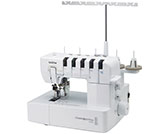
The checks and guides below come from the official manuals for this model.
No matches for this wording. Try a light name, error code or a shorter phrase.
Troubleshooting
Find the problem you are experiencingFabric does not feed1 check
- The presser foot pressure is too low.
- Turn the pressure adjustment screw clockwise to increase presser foot pressure.
Needles break3 checks
- A needle is bent or its tip is blunt.
- Fit a new needle.
- A needle has been installed incorrectly.
- Reinstall the needles correctly.
- The fabric is being pulled with too much force.
- Guide the fabric without pressing or pulling it hard as you sew.
Threads break5 checks
- The machine has been threaded incorrectly.
- Rethread the machine using the manual's threading sequence.
- Thread is tangled around the spool pin or a holder.
- Inspect the spool pin and thread holders, then remove any tangled thread.
- The thread tension is too high.
- Adjust the thread tension.
- One or more needles are seated incorrectly.
- Install the needles in the correct position.
- The installed needle is the wrong type.
- Use the specified needle type; the manual recommends 130/705H.
Skipped stitches5 checks
- The needle is bent or has a blunt tip.
- Replace the needle with a new one.
- The needle is not installed correctly.
- Reinstall the needle correctly.
- The needle type is unsuitable.
- Use the correct needle type; the manual recommends 130/705H.
- The threading path is incorrect.
- Rethread the machine following the manual.
- Presser foot pressure is too low.
- Increase presser foot pressure by turning the adjustment screw clockwise.
Stitches are uneven1 check
- The thread tensions are not set correctly.
- Adjust the thread tension.
Fabric puckers2 checks
- Thread tension is too high for light or fine fabric.
- Lower the thread tension when sewing lightweight or fine material.
- The threading path is wrong or thread is tangled.
- Remove tangles and rethread the machine correctly.