MODEL REFERENCE
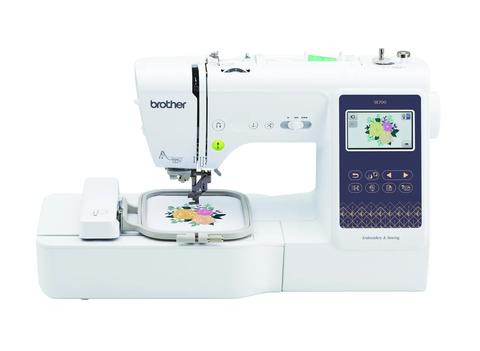
Brother SE700
21 errors
The checks and guides below come from the official manuals for this model.
No matches for this wording. Try a light name, error code or a shorter phrase.
Errors and messages
Shown on the machine display —Malfunction message
Turn the machine off and back on, and contact an authorized Brother dealer or service center if the message continues.
—Cannot change character configuration
Use fewer characters in the curved text layout.
—Cannot recognize selected pattern data
Check whether the pattern data is damaged or made by another manufacturer's design system.
—Pattern data volume too large
Reduce the number of patterns in the design so it fits the machine's memory.
—Recall and resume previous memory
Use the recall option to restore the saved pattern position and stitch count, then align the needle before continuing.
—Pattern extends outside embroidery frame
Select a larger embroidery frame.
—Characters extend outside embroidery frame
Reduce or rearrange characters to fit the frame.
—Preventive maintenance recommended
Arrange a regular maintenance check with an authorized Brother dealer or service center.
—Wireless authentication method unsupported
Change the router authentication and encryption settings to a method the machine supports.
—Bobbin thread almost empty
Replace the bobbin with a wound bobbin.
—Bobbin winder safety device activated
Check for thread tangled around the bobbin winding path before trying again.
—Safety device activated
Check for tangled thread or a bent needle before restarting.
—Start/Stop unavailable with foot controller
Remove the foot controller to use the Start/Stop button.
—SSID and network key incorrect
Reconfirm the network name and password.
—Wireless router cannot be detected
Check that the router is on and move the machine closer during setup.
—Wireless security information incorrect
Recheck the authentication method, encryption method, and network password.
—Wireless setting not activated
Activate the wireless network setting.
—Pattern cannot be used
Check whether the file is damaged or whether you are trying to combine split patterns.
—USB media cannot be used
Check Brother's list of USB media compatible with this machine.
—Start/Stop unavailable with width control
Turn Width Control off in settings or use the foot controller.
F**error
Contact an authorized Brother dealer or service center.
Model details
Verified details
- Machine
- Brother SE700 is a computerized sewing and embroidery machine. [1]
- Sewing stitches
- The SE700 has 103 built-in sewing stitches. [1]
- Embroidery designs
- The SE700 has 135 built-in embroidery designs. [1]
- Embroidery area
- The SE700 has a maximum embroidery area of 4 by 4 inches. [1]
- Wireless LAN
- The SE700 has wireless LAN. [1]
- Manuals
- Brother provides SE700 manuals through its Online Solution Center. [2]