MODEL REFERENCE
Brother PE-770
23 errors · 18 troubleshooting topics
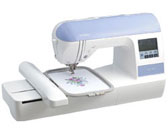
The checks and guides below come from the official manuals for this model.
No matches for this wording. Try a light name, error code or a shorter phrase.
Error messages
Shown on the machine display —Cannot recognize the data: pattern may be corrupted
Choose a valid pattern file; this one may be corrupted.
—Cannot sew on this screen
Return to the embroidery screen before pressing Start/Stop.
—Check and rethread the upper thread
Stop and rethread the upper thread before starting again.
—Deleting a saved pattern
Wait until deletion of the saved pattern finishes.
—Insert an embroidery card
Insert a compatible embroidery card before selecting it.
—Lower the presser foot lever
Lower the embroidery foot before starting or cutting thread.
—Not enough available memory
Delete an unneeded saved pattern before saving another.
—Confirm deleting the selected pattern
Confirm whether to delete the selected pattern.
—Raise the needle before changing embroidery pattern
Raise the needle before selecting or changing an embroidery pattern.
—Raise the presser foot lever
Raise the embroidery foot before initializing the unit.
—Return the bobbin winding shaft to the left
Move the bobbin winder shaft left before pressing the needle or cutter buttons.
—Saving a pattern
Wait until pattern saving finishes.
—Select a pattern
Select a pattern before pressing Start/Stop.
—Bobbin thread is running out
Replace or refill the low bobbin.
—Embroidery carriage will move
Keep hands and objects clear while the carriage moves.
—Pattern too large for embroidery frame
Use fewer characters or a larger compatible embroidery frame.
—Safety device activated: tangled upper thread
Stop, clear tangled upper thread and inspect the needle before restarting.
—Embroidery card cannot be used on this machine
Use an embroidery card supported by this machine.
—Embroidery pattern cannot be used on this machine
Select a card pattern compatible with this machine.
—Pattern downloaded for another machine cannot be used
Choose a downloaded pattern made for this model.
—Character pattern too large for frame: rotate pattern
Rotate the combined character pattern or reduce it to fit the frame.
—Attach the embroidery unit before switching on
Turn off the machine and attach the embroidery unit before switching on again.
—Winding bobbin thread
Allow bobbin winding to finish before starting another operation.
Troubleshooting
Find the problem you are experiencingThe machine does not operate4 checks
- The machine is not turned on
- Switch on the machine.
- The start/stop button was not pressed
- Press Start/Stop to begin.
- The presser foot lever is raised
- Lower the embroidery foot lever.
- The embroidery unit is not attached on the machine
- Attach the embroidery unit before starting.
The needle breaks9 checks
- The needle is incorrectly installed
- Reinstall the needle securely.
- The needle clamp screw is loose
- Tighten the needle clamp screw with a screwdriver.
- The needle is bent or blunt
- Fit a new needle.
- The upper thread tension is too tight
- Reduce upper thread tension.
- The spool is incorrectly installed
- Seat the spool correctly.
- The area around the hole in the needle plate is scratched, or has a burr on it
- Ask an authorized service center to replace a burred needle plate.
- The area around the hole in the embroidery foot is scratched, or has a burr on it
- Ask an authorized service center to replace a burred embroidery foot.
- The bobbin case is scratched, or has a burr on it
- Ask an authorized service center to replace a damaged bobbin case.
- A bobbin designed specifically for this machine is not used
- Use only the bobbin specified for this machine.
The upper thread breaks10 checks
- The upper thread was not threaded correctly (for example, the spool is not installed correctly, the spool cap is too big for the spool being used, or the thread has come out of the needle bar thread guide)
- Rethread the upper thread along its guide path.
- There are knots or tangles in the thread
- Remove knots and tangles from the thread.
- The upper thread tension is too tight
- Reduce upper thread tension.
- The thread is tangled, for example, in the bobbin case
- Clear tangled thread and clean the bobbin race if it is involved.
- The needle is bent or blunt
- Fit a new needle.
- The needle is incorrectly installed
- Reinstall the needle securely.
- The area around the hole in the needle plate is scratched, or has a burr on it
- Ask an authorized service center to replace a burred needle plate.
- The area around the hole in the embroidery foot is scratched, or has a burr on it
- Ask an authorized service center to replace a burred embroidery foot.
- The bobbin case is scratched, or has a burr on it
- Ask an authorized service center to replace a damaged bobbin case.
- A bobbin designed specifically for this machine is not used
- Use only the bobbin specified for this machine.
Bobbin thread does not wind neatly on the bobbin1 check
- The thread that was pulled out was not wound onto the bobbin correctly
- Wrap the free thread around the bobbin five or six times clockwise before winding.
The lower thread is tangled or breaks4 checks
- The bobbin thread is incorrectly installed
- Reinstall the bobbin thread correctly.
- The bobbin is scratched or does not rotate smoothly, or has a burr on it
- Replace the scratched or rough bobbin.
- The thread is tangled
- Remove tangled thread and clean the race.
- A bobbin designed specifically for this machine is not used
- Use only the bobbin specified for this machine.
The thread tension is incorrect4 checks
- The upper thread was not threaded correctly
- Rethread the upper thread along its guide path.
- The bobbin thread is incorrectly installed
- Reinstall the bobbin thread correctly.
- The thread tension is incorrect
- Adjust the upper thread tension.
- A bobbin designed specifically for this machine is not used
- Use only the bobbin specified for this machine.
Stitches are skipped4 checks
- The upper thread was not threaded correctly
- Rethread the upper thread along its guide path.
- The needle is bent or blunt
- Fit a new needle.
- The needle is incorrectly installed
- Reinstall the needle securely.
- Dust has accumulated under the needle plate or in the bobbin case
- Remove the needle plate cover and clean the race.
A high-pitched noise is made while embroidering4 checks
- Dust has accumulated in the bobbin case
- Clean lint from the bobbin race.
- The upper thread was not threaded correctly
- Rethread the upper thread along its guide path.
- The bobbin case is scratched, or has a burr on it
- Ask an authorized service center to replace a damaged bobbin case.
- A bobbin designed specifically for this machine is not used
- Use only the bobbin specified for this machine.
The thread does not pass through the eye of the needle2 checks
- The needle has not been raised to the correct position
- Raise the needle with the needle position button.
- The needle is incorrectly installed
- Reinstall the needle securely.
The stitch is not sewn correctly2 checks
- The thread tension is incorrect
- Adjust the upper thread tension.
- The thread is tangled, for example, in the bobbin case
- Clear the thread tangle and clean the race if the bobbin case is involved.
The lamps do not come on2 checks
- The lamps are damaged
- Contact the retailer or an authorized Brother service center for lamp repair.
- The machine is not turned on
- Switch on the machine.
Nothing appears on the LCD1 check
- The brightness of the LCD is either too light or too dark
- Adjust LCD brightness until the screen is visible.
Embroidery unit does not move2 checks
- No pattern selected
- Select an embroidery pattern before starting.
- The embroidery unit is not set up correctly
- Set up the embroidery unit according to the manual.
Embroidering continues although the bobbin thread ran out1 check
- Dust has collected on the bobbin thread sensor
- Clean dust from the bobbin thread sensor.
Embroidery not neatly done9 checks
- The fabric is not fully stretched on the embroidery frame. The fabric is loose
- Stretch and secure the fabric evenly in its embroidery frame.
- No stabilizer material is attached
- Attach stabilizer to stretchy, thin, loose-weave or easily contracting fabric.
- The thread is tangled and the bobbin case, etc., is plugged up
- Remove tangled thread and clean the race if the bobbin area is blocked.
- The thread tension is incorrect
- Adjust the upper thread tension.
- Objects are placed near the carriage or embroidery frame
- Move objects clear of the embroidery carriage and frame travel.
- Material coming out of the embroidery frame is causing problems
- Rehoop loose overhanging fabric, then rotate the pattern if needed.
- When embroidering on a heavy fabric, the fabric is hanging off the table
- Support heavy fabric on the table while embroidering.
- The fabric is catching. It is pinched
- Stop and free pinched fabric before continuing.
- The carriage was moved while the embroidery frame was being removed or attached during embroidery
- Keep the carriage steady when attaching or removing the frame.
Two or four beeps after an incorrect operation1 check
- The machine rejected the last operation.
- Follow the LCD advice and correct the operation.
Four-second beep and machine stops1 check
- The machine locked, possibly on tangled thread.
- Check and clear the cause before restarting.