MODEL REFERENCE
Brother FAX-2840
28 errors · 11 troubleshooting topics
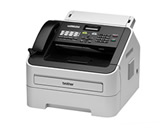
The checks and guides below come from the official manuals for this model.
No matches for this wording. Try a light name, error code or a shorter phrase.
Errors and messages
Shown on the machine display Cartridge Errortoner cartridge problem
Reseat the toner cartridge in the drum assembly, then reinstall the assembly.
Comm.Errorfax communication failed
Send the fax again or test another telephone line; persistent line faults need the telephone company.
Connection Failpolling connection failed
Check that the other fax machine is configured for polling, then try again.
Cooling Down Wait for a whilefuser or drum temperature problem
Keep the vents clear, let the machine cool, and restart it; contact Brother if the message returns.
Cover is Opena cover is open3 checks
Disconnectedthe fax call ended
Try sending or receiving the fax again.
Document Jamdocument jam
Remove the jammed document and scraps from the feeder, then reload the document.
DR Mode in Usedistinctive Ring is active
Turn Distinctive Ring off before changing the receive mode.
Drum Errordrum unit needs attention
Clean or replace the drum unit as indicated, then reset its counter after replacement.
Drum Stopdrum unit needs attention
Clean or replace the drum unit as indicated, then reset its counter after replacement.
EL Errormechanical fault
Protect any stored faxes, restart the machine, and contact Brother if the fault remains.
Fuser Errorfuser or drum temperature problem
Keep the vents clear, let the machine cool, and restart it; contact Brother if the message returns.
Init Unable XXmechanical fault
Protect any stored faxes, restart the machine, and contact Brother if the fault remains.
Jam Insidepaper jam
Open the indicated path, remove the jammed paper carefully, and close the covers before retrying.
Jam Rearpaper jam
Open the indicated path, remove the jammed paper carefully, and close the covers before retrying.
Jam Traypaper jam
Open the indicated path, remove the jammed paper carefully, and close the covers before retrying.
Manual Feedmanual feed slot is empty
Load a sheet in the manual feed slot or select another paper source.
No Paperpaper is missing or loaded incorrectly
Reload the paper tray, set the guides to the paper size, and retry.
No Response/Busyfax number is busy or unanswered
Verify the number and place the call again.
No Tonertoner supply needs attention
Reseat or replace the toner cartridge, then retry the job.
Out of Memorymemory is full
Finish or cancel the current job, print or clear stored faxes, and retry.
Print Unable XXmechanical fault
Protect any stored faxes, restart the machine, and contact Brother if the fault remains.
Replace Drumdrum unit needs attention
Drum unit needs attention: Clean or replace the drum unit as indicated, then reset its counter after replacement.
Replace Tonertoner supply needs attention
Reseat or replace the toner cartridge, then retry the job.
Scan Unable XXmechanical fault
Protect any stored faxes, restart the machine, and contact Brother if the fault remains.
Size mismatchpaper size mismatch
Load the required paper size and update the paper-size setting.
Toner Endedtoner supply needs attention
Reseat or replace the toner cartridge, then retry the job.
Toner Lowtoner supply needs attention
Reseat or replace the toner cartridge, then retry the job.
Troubleshooting
Find the problem you are experiencingDialing does not workView
Check the listed connection, setting, or supply, then retry the operation.
The machine does not answer when calledView
Check the listed connection, setting, or supply, then retry the operation.
Cannot receive a fax3 checks
- The telephone line may not be connected correctly.
- Check the line cord at the wall jack and the machine's LINE jack.
- The receive mode may not suit the line setup.
- Choose the receive mode that matches the devices and services on the line.
- Another device or service may answer first.
- Lower the fax ring delay or the answering machine's ring count, as applicable.
Poor sending qualityView
Check the listed connection, setting, or supply, then retry the operation.
Transmission Verification Report says RESULT:NGView
Check the listed connection, setting, or supply, then retry the operation.
Sent faxes are blankView
Check the listed connection, setting, or supply, then retry the operation.
Vertical black lines when sendingView
Check the listed connection, setting, or supply, then retry the operation.
The machine ‘hears’ a voice as a CNG toneView
Check the listed connection, setting, or supply, then retry the operation.
Sending a fax call to the machineView
Check the listed connection, setting, or supply, then retry the operation.
Custom features on a single lineView
Check the listed connection, setting, or supply, then retry the operation.