MODEL REFERENCE
Brother PT-D600
5 errors · 11 troubleshooting topics
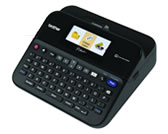
The checks and guides below come from the official manuals for this model.
No matches for this wording. Try a light name, error code or a shorter phrase.
Errors and messages
Messages and indicator states from the manual Check # of digits enteredbarcode digit count does not match
Enter the number of barcode digits specified by the barcode parameters.
Cutter Malfunction!cutter closed during printing or feed
Switch the label maker off and on again. Remove any tape tangled in the cutter before retrying.
Label Too Long!label exceeds the maximum length
Shorten the text so the label is less than 39.37 inches, or one meter.
Text Too Long!text exceeds the selected label length
Shorten the text or increase the selected label length.
Unable to use XX!label maker needs service
Contact Brother customer service and report the displayed message.
Troubleshooting
Find the problem you are experiencingLabel maker stops responding4 steps
- Open Home, Settings, Reset and choose a reset method.
- Reset All Settings keeps stored and transferred labels, Erase All Content removes them, and Factory Default clears labels and settings.
- Confirm the choice.
- If resetting fails, disconnect the adapter and remove batteries for more than ten minutes.
Display stays blankView
Check battery orientation and charge, and securely connect the adapter specified for this label maker.
Display uses the wrong languageView
Open Home, Settings, Language, choose the language, and confirm with OK or Enter.
Label does not print3 steps
- Enter text and seat a cassette with tape remaining.
- Cut off bent tape and feed the end through the exit slot.
- For a jam, remove the cassette, pull out and cut the trapped tape, and route its end through the tape guide before refitting.
Printed label is malformedView
Reseat the cassette until it clicks. Remove batteries and disconnect the adapter before cleaning the print head with a cotton swab or TZe-CL4 cleaning cassette.
Label does not cut automaticallyView
Choose a Cut Option other than Chain or No Cut. Alternatively, press Shift and the Feed/Cut key to feed and cut the tape.
Ink ribbon separates from the rollerView
Replace the cassette if its ribbon is broken. Otherwise leave the tape uncut, remove the cassette, and wind the loose ribbon onto its spool.
Printing stops partway through a labelView
Replace the cassette when striped tape shows its end. Replace all batteries or connect the specified adapter directly to the label maker.
Saved label files are emptyView
Weak batteries or disconnecting the adapter can erase internal files. Check the power supply before saving new labels.
Tape jams keep recurringView
Contact Brother customer service if a persistent tape jam cannot be cleared.
Find the firmware versionView
Press Home, select Settings, then Version information, confirming each choice with OK or Enter.