MODEL REFERENCE
Brother PE535
22 errors · 26 troubleshooting topics
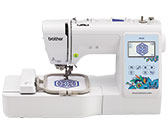
The checks and guides below come from the official manuals for this model.
No matches for this wording. Try a light name, error code or a shorter phrase.
Errors and messages
Shown on the machine display —A malfunction occurred. Turn the machine off, then on again.
Turn the machine off and back on. If the message returns, contact authorized Brother service.
—Cannot change the configuration of the characters.
Reduce the text or change its layout so the selected characters can curve.
—Cannot change the font since some letters are not included to the selected font.
Select a font that includes every character in the pattern.
—Cannot recognize the data for the selected pattern. The data may be corrupted. Please turn off the power and turn on again.
Check the pattern data for damage or incompatibility, then restart the machine.
—Check and rethread the upper thread.
Rethread the upper thread and check whether it has broken.
—Data volume is too large for this pattern.
Reduce the number or size of patterns being edited to fit available memory.
—Lower the presser foot lever.
Lower the presser-foot lever before operating the machine.
—Not enough available memory to save.
Delete saved patterns to free memory before saving another design.
—Not enough available memory to save the pattern. Delete another pattern?
Delete another saved pattern to make room, or return without saving.
—OK to recall and resume previous memory?
Confirm the prompt to restore the interrupted embroidery position, then resume carefully.
—Pattern extends to the outside of embroidery frame.
Choose a larger embroidery frame or a smaller pattern.
—Pattern extends to the outside of embroidery frame. Add no additional characters.
Resize or rearrange the characters so the combined pattern fits the frame.
—Pattern extends to the outside of embroidery frame. This function cannot be used at this time.
Resize or reorient the character pattern so it fits the frame.
—Preventive maintenance is recommended.
Arrange a regular maintenance check with an authorized Brother dealer or service center.
—The bobbin thread is almost empty.
Replace the nearly empty bobbin with one wound with embroidery bobbin thread.
—The bobbin winder safety device has activated. Is the thread tangled?
Stop bobbin winding and clear any thread tangled around the winder.
—The carriage of the embroidery unit will move. Keep your hands etc. away from the carriage.
Keep hands and objects clear while the embroidery carriage moves.
—The safety device has been activated. Is the thread tangled? Is the needle bent?
Stop and inspect for tangled thread or a bent needle before continuing.
—This pattern cannot be used.
Use an embroidery pattern supported by this machine.
—This USB media cannot be used.
Use a compatible USB device.
—USB media is not loaded. Load USB media.
Insert USB media before recalling or saving a pattern.
F**f**
Contact an authorized Brother dealer or service center for an F** machine fault.
Troubleshooting
Find the problem you are experiencingCannot thread the needle6 checks
- Needle is not in the correct position.
- Raise the needle using the needle-position button.
- Needle is installed incorrectly.
- Reinstall the needle securely.
- Needle is turned, bent or the point is dull.
- Replace a bent, turned or dull needle.
- Upper threading is incorrect. The needle threader lever is not lowered until it clicks.
- Rethread the upper thread and lower the needle-threader lever until it clicks.
- The needle threader hook is bent and does not pass through the eye of the needle.
- Ask authorized Brother service to inspect the needle-threader hook.
- The needle threader lever cannot be moved or returned to its original position.
- Contact an authorized Brother dealer or service center for this fault.
Bobbin thread does not wind neatly on the bobbin3 checks
- The thread is not passed through the bobbin winding thread guide correctly.
- Pass the thread through the bobbin-winding guide as shown in the manual.
- The thread that was pulled out from the bobbin- winding thread guide was incorrectly wound onto the bobbin.
- Remove the bobbin and wind the thread onto it correctly.
- The empty bobbin was not set on the pin properly.
- Seat the empty bobbin fully on its winding pin.
While winding the bobbin, the bobbin thread was wound below the bobbin winder seat1 check
- The thread was incorrectly passed under the pretension disk on the bobbin-winding thread guide.
- Stop winding, clear the tangled thread, and pass the thread under the pretension disk before rewinding.
The bobbin thread cannot be pulled up1 check
- Bobbin is set incorrectly.
- Reset the bobbin thread correctly.
Nothing appears in the LCD2 checks
- Main power switch is not turned on.
- Turn on the main power switch.
- The plug of the power cord is not inserted into an electrical outlet.
- Plug the power cord into the outlet.
The LCD screen is fogged up1 check
- Condensation has formed on the LCD screen.
- Allow the screen to clear as the condensation evaporates.
The operation keys do not respond, or the key response is too sensitive1 check
- A glove is worn when the keys are pressed. The keys are pressed with a fingernail. A non-electrostatic touch pen is being used. The sensitivity of the operation keys is not set for the user.
- Press keys with a bare fingertip or suitable electrostatic pen, and adjust key sensitivity in settings.
The machine light does not come on1 check
- [Light] is set to [OFF] in the settings screen.
- Turn the sewing light on in the settings screen.
Embroidery unit does not operate1 check
- Embroidery unit is not attached correctly.
- Remove and reattach the embroidery unit correctly.
Machine does not operate4 checks
- “Start/Stop” button was not pressed.
- Press Start/Stop to begin the selected stitch.
- The bobbin winder shaft is pushed to the right.
- Shift the bobbin winder shaft left.
- There is no pattern selected.
- Select an embroidery pattern before starting.
- Presser foot is not lowered.
- Lower the presser foot.
Needle breaks15 checks
- Needle is installed incorrectly.
- Reinstall the needle securely.
- Needle clamp screw is not tightened.
- Tighten the needle clamp screw.
- Needle is turned or bent.
- Fit a straight, undamaged needle.
- Using improper needle or thread for the selected fabric.
- Use needle and thread sizes suitable for the selected fabric.
- Upper thread tension is too tight.
- Reduce the upper thread tension.
- Spool of thread is set incorrectly.
- Seat the spool correctly.
- There are scratches around the opening in the needle plate.
- Ask authorized Brother service to inspect the scratched needle plate.
- There are scratches around the opening in the presser foot.
- Ask authorized Brother service to inspect the scratched presser foot.
- There are scratches on the bobbin case.
- Ask authorized Brother service to inspect the scratched bobbin case.
- A bobbin designed specifically for this machine is not used.
- Use only the bobbin specified for this machine.
- Upper threading is incorrect.
- Rethread the upper thread correctly.
- Bobbin is set incorrectly.
- Reset the bobbin thread correctly.
- Embroidery foot is attached incorrectly.
- Attach embroidery foot Q securely as shown in the manual.
- Stabilizer is not attached to fabric being embroidered.
- Attach stabilizer to the fabric before embroidering.
- Bobbin thread is incorrectly wound.
- Wind the bobbin again with the thread correctly placed.
Upper thread breaks10 checks
- Machine is not threaded correctly (used the wrong spool cap, spool cap is loose, the thread did not catch the needle bar threader, etc.).
- Rethread the machine, checking the spool cap and needle-bar thread guide.
- Knotted or tangled thread is being used.
- Discard the knotted thread and use smooth thread.
- Upper thread tension is too tight.
- Reduce the upper thread tension.
- Thread is tangled.
- Stop, remove tangled thread and clean the bobbin area if needed.
- Needle is turned, bent or the point is dull.
- Replace a bent, turned or dull needle.
- Needle is installed incorrectly.
- Reinstall the needle securely.
- There are scratches near the hole in the embroidery foot.
- Ask authorized Brother service to inspect the scratched presser foot.
- There are scratches on the bobbin case.
- Ask authorized Brother service to inspect the scratched bobbin case.
- Using improper needle or thread for the selected fabric.
- Use needle and thread sizes suitable for the selected fabric.
- A bobbin designed specifically for this machine is not used.
- Use only the bobbin specified for this machine.
The thread is tangled on the wrong side of the fabric2 checks
- Upper threading is incorrect.
- Rethread the upper thread correctly.
- Using improper needle or thread for the selected fabric.
- Use needle and thread sizes suitable for the selected fabric.
The upper thread is too tight1 check
- The bobbin thread is incorrectly installed.
- Refit the bobbin thread correctly.
Bobbin thread breaks5 checks
- Bobbin is set incorrectly.
- Reset the bobbin thread correctly.
- Bobbin thread is incorrectly wound.
- Wind the bobbin again with the thread correctly placed.
- A scratched bobbin is being used.
- Replace the scratched bobbin.
- Thread is tangled.
- Stop, remove tangled thread and clean the bobbin area if needed.
- A bobbin designed specifically for this machine is not used.
- Use only the bobbin specified for this machine.
Fabric puckers3 checks
- There is a mistake in the upper or bobbin threading.
- Rethread both the upper and bobbin paths.
- Spool of thread is set incorrectly.
- Seat the spool correctly.
- Needle is turned, bent or the point is dull.
- Replace a bent, turned or dull needle.
Skipped stitches4 checks
- Machine is threaded incorrectly.
- Rethread the machine following the upper and lower paths.
- Needle is turned, bent or the point is dull.
- Replace a bent, turned or dull needle.
- Needle is installed incorrectly.
- Reinstall the needle securely.
- Dust or lint has collected under the needle plate.
- With the machine off, clean lint from beneath the needle plate.
Not embroidering3 checks
- Needle is turned, bent or the point is dull.
- Replace a bent, turned or dull needle.
- Bobbin is set incorrectly.
- Reset the bobbin thread correctly.
- Upper threading is incorrect.
- Rethread the upper thread correctly.
High-pitched sound while embroidering4 checks
- Pieces of thread are caught in the race.
- With the machine off, remove thread scraps from the bobbin race.
- Upper threading is incorrect.
- Rethread the upper thread correctly.
- A bobbin designed specifically for this machine is not used.
- Use only the bobbin specified for this machine.
- There are needle holes or friction scratches in the bobbin case.
- Ask authorized Brother service to inspect the scratched bobbin case.
The needle contacts the needle plate2 checks
- The needle clamp screw is loose.
- Tighten the screw firmly with the disc-shaped screwdriver.
- Needle is turned, bent or the point is dull.
- Replace a bent, turned or dull needle.
The handwheel does not turn smoothly1 check
- Thread is tangled in the bobbin case.
- Turn the power off and clear thread tangled in the bobbin case.
Thread tension is incorrect7 checks
- Upper threading is incorrect.
- Rethread the upper thread correctly.
- Bobbin is set incorrectly.
- Reset the bobbin thread correctly.
- Using improper needle or thread for the selected fabric.
- Use needle and thread sizes suitable for the selected fabric.
- Thread tension is set incorrectly.
- Adjust upper thread tension for the fabric and stitch.
- Bobbin thread is incorrectly wound.
- Wind the bobbin again with the thread correctly placed.
- Needle is turned, bent or the point is dull.
- Replace a bent, turned or dull needle.
- A bobbin designed specifically for this machine is not used.
- Use only the bobbin specified for this machine.
Embroidery pattern does not embroider correctly10 checks
- Thread is twisted.
- Untwist the thread and rethread the embroidery path.
- Thread tension is set incorrectly.
- Adjust upper thread tension for the fabric and stitch.
- Fabric was not inserted into the frame correctly (fabric was loose, etc.).
- Hoop the fabric tautly and evenly.
- Stabilizing material was not attached.
- Attach suitable stabilizer before embroidering.
- There was an object placed near the machine, and the carriage or embroidery frame hit the object during embroidering.
- Move objects clear of the carriage and embroidery frame travel.
- Material coming out of the embroidery frame is causing problems.
- Rehoop loose overhanging fabric, then rotate the pattern if needed.
- A heavy fabric is being embroidered, and the fabric is hanging off the table.
- Support heavy fabric on the table while embroidering.
- Fabric is snagged or caught on something.
- Stop and free fabric caught on the machine or frame.
- The carriage was moved while the embroidery frame was being removed or attached during embroidery.
- Keep the carriage steady when attaching or removing the frame.
- Stabilizer is incorrectly attached, for example, it is smaller than the embroidery frame.
- Use stabilizer at least as large as the embroidery frame.
Loops appear on the surface of the fabric when embroidering2 checks
- The thread tension is incorrectly set.
- Adjust embroidery thread tension.
- Embroidery bobbin thread intended for use with this machine is not being used.
- Use the embroidery bobbin thread specified for this machine.
Two or four beeps after an incorrect operation1 check
- The machine rejected the last operation.
- Follow the LCD advice and correct the operation.
Four-second beep and machine stops1 check
- The machine locked, possibly on tangled thread.
- Check and clear the cause before restarting.