MODEL REFERENCE
Brother PT-H110
13 errors · 10 troubleshooting topics · 3 guides
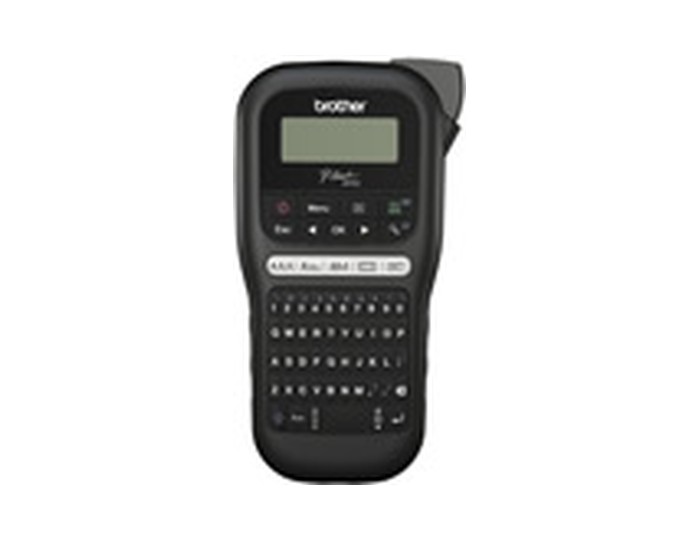
The checks and guides below come from the official manuals for this model.
No matches for this wording. Try a light name, error code or a shorter phrase.
Errors and messages
Messages and indicator states from the manual Battery Low!batteries are low
Replace all six AAA alkaline batteries together, without mixing old and new cells or battery types. If using Ni-MH cells, recharge them fully.
Battery Empty!batteries are exhausted
Replace the depleted alkaline batteries or fully recharge the Ni-MH batteries before continuing.
Invalid!numbering or label length is invalid
Place the cursor below text to number, choose a valid numbering character and number, and enter an allowed label length for the selected template.
No Text!no label text is available
Enter or recall text before printing, previewing or using Cable Label. Templates also need text before OK or Enter. An empty saved file cannot print.
2 Line Limit! / 1 Line Limit!tape or text exceeds the line limit
Use no more than two lines. Two-line text requires 9 or 12 mm tape; 3.5 and 6 mm tape support one line.
No Cassette!tape cassette is missing
Install a compatible Brother TZe cassette before printing, feeding or previewing a label.
Cutter Pressedcutter was pressed during printing
Release the cutter lever and leave it untouched while the label prints.
Text Full!text exceeds the character limit
Reduce text to at most 80 characters, or 50 in templates. Symbols can reduce the available character count.
Text Limit! Change Lengthtext exceeds the selected label length
Shorten the text or set Label Length to Auto.
No Frame OK?frame cannot print on 3.5 mm tape
Press OK to print without the frame, or Esc to cancel.
Feed OK?chain Print is waiting to feed tape
Press OK to feed after the last Chain Print label. Feed before cutting so the tape is not cut through the text.
Insert 12 mmtemplate requires 12 mm tape
Fit a 12 mm Brother TZe cassette before printing the template.
Wrong Tape! Use TZe tapetape type is unsupported
Replace the cassette with compatible Brother TZe tape.
Troubleshooting
Find the problem you are experiencingDisplay stays blankView
Check battery polarity and replace low alkaline cells as a complete set of six, without mixing types or ages. Check the AD-24ES adapter connection if used.
Printed labels have too much marginView
Choose Half or Narrow in Setting Margin. Chain Print can reduce repeated margins when making several labels.
Label does not print or characters are malformedView
Seat the tape cassette correctly, replace an empty cassette, and close the cassette cover securely.
Settings clear on their ownView
Replace weak batteries as a complete matched set. Text and formatting are lost after power has been disconnected for more than three minutes.
A blank horizontal line crosses the labelView
Remove the cassette and gently clean the print head with a dry cotton swab in an up-and-down motion. The optional TZe-CL3 cleaning cassette is another documented option.
Label maker stops respondingView
Reset only when you are ready to erase all text, settings and stored files. Switch off, hold Shift and R, then hold Power to switch on. Release Power first, then Shift and R.
Power turns off when printing startsView
Check battery orientation, replace weak alkaline batteries with six matched new cells, and use the recommended AD-24ES adapter if operating from mains power.
Tape will not feed or jamsView
Check that the tape end runs beneath the tape guides. Leave the cutter lever untouched during printing.
Display uses the wrong languageView
Open Menu, choose Language, select the desired language and press OK.
Print cable-label templates3 steps
- Choose Cable Label, select one of the two layouts, enter the text and confirm printing and the number of copies.
- These templates need 12 mm tape and use automatic label length.
- Font, size, style and frame cannot be changed; use the preview before printing.
Guides
Power supply and tape cassette
Instructions from the manualInstall batteries, tape or the AC adapter3 steps
- Use six AAA LR03 alkaline or fully charged HR03 Ni-MH batteries with the indicated polarity.
- Fit a Brother TZe cassette with its tape end under the guides, close the cover and feed before cutting.
- For mains power connect the optional AD-24ES adapter; rechargeable cells need a separate charger.
Replacing the cutter unit
Instructions from the manualReplace or turn the cutter board3 steps
- If the blade becomes blunt, turn the cutter board as shown in the guide.
- If cutting remains poor, remove the green cutter sections and fit a TC-4 replacement until it clicks.
- Keep fingers away from the blade.
Setting margin
Instructions from the manualUse chain printing and smaller margins2 steps
- Choose Half or Narrow to reduce side margins, or Chain Print for a series of labels.
- At the feed prompt, cancel feeding while adding more labels, then feed after the final label and cut only after feeding.
Model details
Model and compatibility
- Tape
- Use Brother TZe tape in 3.5, 6, 9 or 12 mm widths. Two-line text requires 9 or 12 mm, and Cable Label templates require 12 mm. [1]
- Power
- Use six AAA LR03 alkaline or charged HR03 Ni-MH batteries, or the optional AD-24ES adapter. Recharge Ni-MH cells in their separate charger. [1]
- Cutter
- The guide lists TC-4 as the replacement cutter. Turn the cutter board first if cutting has become poor. [1]