MODEL REFERENCE
Brother XL-3500/ t/ i/3510/3520
12 troubleshooting topics
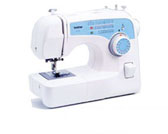
The checks and guides below come from the official manuals for this model.
No matches for this wording. Try a light name, error code or a shorter phrase.
Troubleshooting
Find the problem you are experiencingThe sewing machine does not work4 checks
- The machine is unplugged.
- Connect the machine to the power outlet.
- The main power switch is off.
- Switch on the main power.
- The bobbin-winder shaft is pushed right.
- Slide the bobbin-winder shaft left.
- The foot controller is being used incorrectly.
- Use the foot controller correctly.
The needle breaks12 checks
- The needle is installed incorrectly.
- Install the needle correctly.
- The needle clamp screw is loose.
- Tighten the needle clamp screw firmly with a screwdriver.
- The needle is bent or dull.
- Replace the needle.
- The fabric, thread, and needle are not properly matched.
- Select thread and a needle suited to the fabric.
- The presser foot does not suit the selected stitch.
- Attach the presser foot suited to the stitch.
- The upper thread tension is too tight.
- Reduce the upper thread tension.
- The fabric is being pulled too hard.
- Guide the fabric lightly.
- The spool is fitted incorrectly.
- Fit the spool correctly.
- The area around the needle plate hole is scratched.
- Replace the needle plate. Contact your retailer or nearest authorized service center.
- There are scratches around the presser foot hole.
- Fit a replacement presser foot. Contact the retailer or your nearest authorized service center.
- The bobbin case is scratched.
- Replace the bobbin case. Contact your retailer or nearest authorized service center.
- The bobbin is not designed for this machine.
- Use only a bobbin designed for this machine, as other bobbins will not work properly.
The upper thread breaks11 checks
- The upper thread is threaded incorrectly.
- Rethread the upper thread correctly.
- The thread has knots or tangles.
- Remove the knots or tangles.
- The needle does not suit the thread being used.
- Choose a needle suited to the stitch type.
- The upper thread tension is too tight.
- Reduce the upper thread tension.
- The thread is tangled.
- Remove the tangled thread. If it is tangled in the bobbin case, clean the case.
- The needle is bent or dull.
- Replace the needle.
- The needle is inserted incorrectly.
- Insert the needle correctly.
- The area around the needle plate hole is scratched.
- Replace the needle plate. Contact your retailer or nearest authorized service center.
- There are scratches around the presser foot hole.
- Fit a replacement presser foot. Contact the retailer or your nearest authorized service center.
- The bobbin case is scratched or has a burr.
- Replace the bobbin case. Contact your retailer or nearest authorized service center.
- The bobbin is not designed for this machine.
- Use only a bobbin designed for this machine, as other bobbins will not work properly.
The lower thread is tangled or breaks5 checks
- The bobbin thread was wound incorrectly.
- Wind the bobbin thread correctly.
- The bobbin is scratched or does not turn smoothly.
- Replace the bobbin.
- The thread is tangled.
- Remove the tangled thread and clean the bobbin case.
- The bobbin is not designed for this machine.
- Use only a bobbin designed for this machine, as other bobbins will not work properly.
- The bobbin is set incorrectly.
- Reset the bobbin thread correctly.
The thread tension is incorrect7 checks
- The upper thread is threaded incorrectly.
- Rethread the upper thread correctly.
- The bobbin thread is wound incorrectly.
- Wind the bobbin thread correctly.
- The thread and needle do not suit the fabric.
- Choose a thread and needle suited to the fabric.
- The presser foot holder is attached incorrectly.
- Refit the presser foot holder correctly.
- The thread tension is set incorrectly.
- Adjust the upper thread tension.
- The bobbin is not designed for this machine.
- Use only a bobbin designed for this machine, as other bobbins will not work properly.
- The bobbin is set incorrectly.
- Reset the bobbin thread correctly.
The fabric is wrinkled6 checks
- The upper thread is threaded incorrectly or the bobbin is fitted incorrectly.
- Thread the upper thread and wind the bobbin thread correctly.
- The spool is fitted incorrectly.
- Fit the spool correctly.
- The thread and needle do not suit the fabric.
- Choose a thread and needle suited to the fabric.
- The needle is bent or dull.
- Replace the needle.
- When sewing thin fabric, the stitch is too thick.
- Place stabiliser material under the fabric while sewing.
- The thread tension is set incorrectly.
- Adjust the upper thread tension.
Stitches are skipped5 checks
- The upper thread is threaded incorrectly.
- Rethread the upper thread correctly.
- The fabric, thread, and needle are not properly matched.
- Select thread and a needle suited to the fabric.
- The needle is bent or dull.
- Replace the needle.
- The needle is inserted incorrectly.
- Insert the needle correctly.
- Dust has collected under the needle plate or in the bobbin case.
- Remove the needle plate cover, then clean the plate and bobbin case.
There is a high-pitched noise while sewing4 checks
- Dust has collected in the feed dogs or bobbin case.
- Clean the bobbin case.
- The upper thread is threaded incorrectly.
- Rethread the upper thread correctly.
- The bobbin case is scratched.
- Replace the bobbin case. Contact your retailer or nearest authorized service center.
- The bobbin is not designed for this machine.
- Use only a bobbin designed for this machine, as other bobbins will not work properly.
The needle threader can not be used2 checks
- The needle holder is below its highest position.
- Turn the handwheel toward you, counterclockwise, until the needle holder reaches its highest position.
- The needle is inserted incorrectly.
- Insert the needle correctly.
The stitch is not sewn correctly3 checks
- The presser foot does not suit the selected stitch.
- Attach the presser foot suited to the stitch.
- The thread tension is set incorrectly.
- Adjust the upper thread tension.
- The thread is tangled.
- Remove the tangled thread. If it is tangled in the bobbin case, clean the case.
The fabric does not feed4 checks
- The stitch is too fine.
- Increase the stitch length.
- The darning plate is fitted to the needle plate.
- Remove the darning plate.
- The fabric, thread, and needle are not properly matched.
- Select thread and a needle suited to the fabric.
- The thread is tangled.
- Remove the tangled thread. If it is tangled in the bobbin case, clean the case.
The sewing light bulb does not come on1 check
- The sewing light bulb is damaged.
- Replace the sewing light bulb.